
'%3e%3cpath%20d='M24%200C10.7453%200%200%2010.7453%200%2024C0%2035.255%207.74912%2044.6995%2018.2026%2047.2934V31.3344H13.2538V24H18.2026V20.8397C18.2026%2012.671%2021.8995%208.8848%2029.9194%208.8848C31.44%208.8848%2034.0637%209.18336%2035.137%209.48096V16.129C34.5706%2016.0694%2033.5866%2016.0397%2032.3645%2016.0397C28.4294%2016.0397%2026.9088%2017.5306%2026.9088%2021.4061V24H34.7482L33.4013%2031.3344H26.9088V47.8243C38.7926%2046.3891%2048.001%2036.2707%2048.001%2024C48%2010.7453%2037.2547%200%2024%200Z'%20fill='black'/%3e%3c/g%3e%3cdefs%3e%3cclipPath%20id='clip0_1062_940'%3e%3crect%20width='48'%20height='48'%20fill='white'/%3e%3c/clipPath%3e%3c/defs%3e%3c/svg%3e)
'%3e%3cpath%20d='M44.4469%200H3.54375C1.58437%200%200%201.54688%200%203.45938V44.5312C0%2046.4437%201.58437%2048%203.54375%2048H44.4469C46.4062%2048%2048%2046.4438%2048%2044.5406V3.45938C48%201.54688%2046.4062%200%2044.4469%200ZM14.2406%2040.9031H7.11563V17.9906H14.2406V40.9031ZM10.6781%2014.8688C8.39062%2014.8688%206.54375%2013.0219%206.54375%2010.7437C6.54375%208.46562%208.39062%206.61875%2010.6781%206.61875C12.9563%206.61875%2014.8031%208.46562%2014.8031%2010.7437C14.8031%2013.0125%2012.9563%2014.8688%2010.6781%2014.8688ZM40.9031%2040.9031H33.7875V29.7656C33.7875%2027.1125%2033.7406%2023.6906%2030.0844%2023.6906C26.3812%2023.6906%2025.8187%2026.5875%2025.8187%2029.5781V40.9031H18.7125V17.9906H25.5375V21.1219H25.6312C26.5781%2019.3219%2028.9031%2017.4188%2032.3625%2017.4188C39.5719%2017.4188%2040.9031%2022.1625%2040.9031%2028.3313V40.9031Z'%20fill='black'/%3e%3c/g%3e%3cdefs%3e%3cclipPath%20id='clip0_1062_932'%3e%3crect%20width='48'%20height='48'%20fill='white'/%3e%3c/clipPath%3e%3c/defs%3e%3c/svg%3e)
Car Missing in ABRP? Build a Custom Model.
Create a custom vehicle model in minutes and drive with it immediately.
Ta strona jest obecnie dostępna tylko po angielsku. Wkrótce dodamy kolejne tłumaczenia.

Johannes Aguilar Kazantzidis
Senior Software Engineer
“MSc from Imperial College London, former engineer at Stanford University, background in nuclear accelerators, now applying that same rigour to EV route planning.”
Is your car not in ABRP? Build a custom model yourself. It is free, it takes a few minutes, and you can drive with it immediately.
1. Pick the closest car. 2. Change what differs. 3. Save and drive.
Works in the app, and on the website. Every model you build also helps us publish the official one faster.
Start in the app
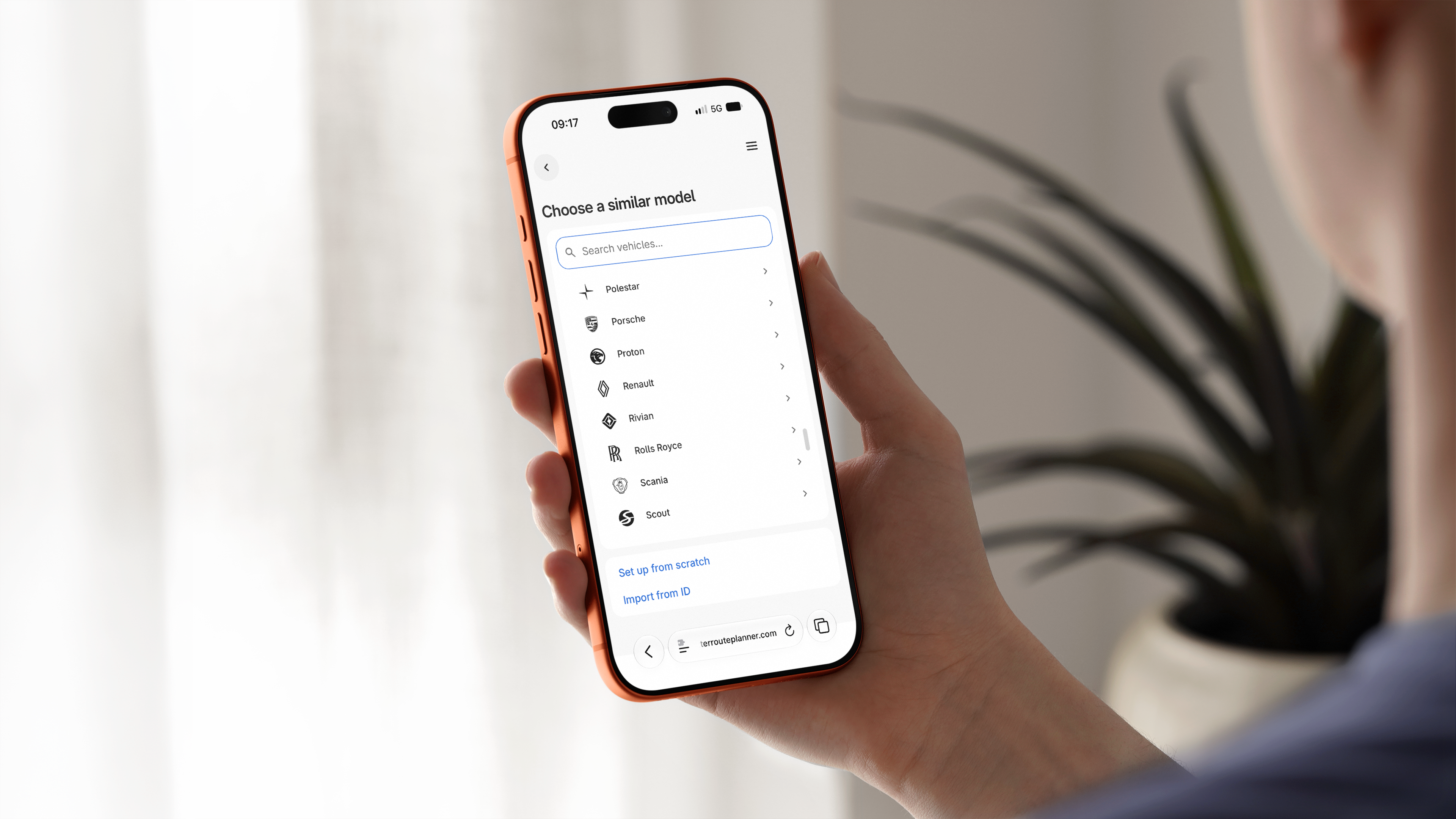
Tap your vehicle's name, if you have one, and/or click Add new vehicle → Missing vehicle model? When you finish, you land back in the app with your car selected. Prefer the web? Open the builder.
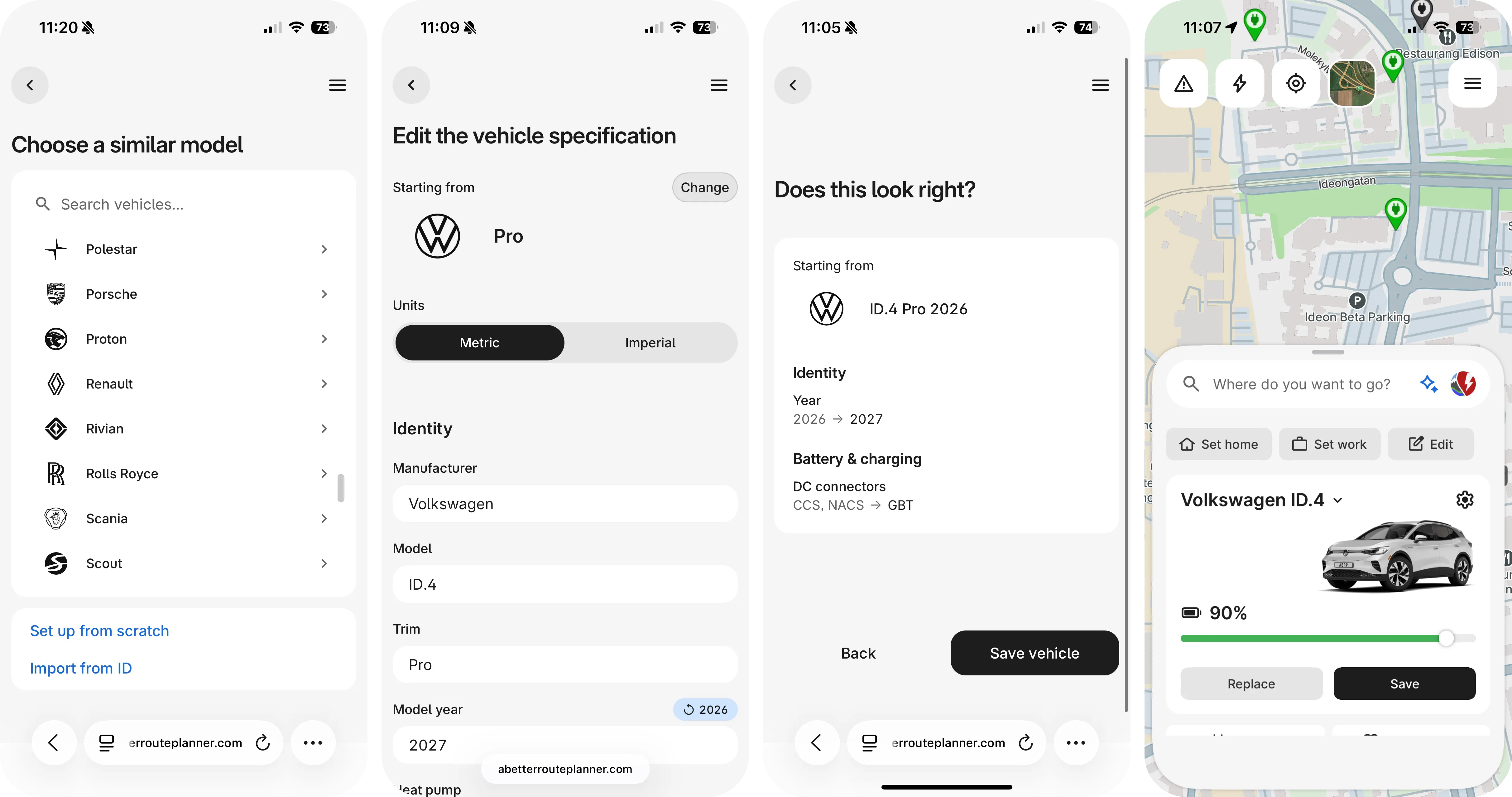
Fill in the form
Pick the closest car and change only what differs. No close match? Set up from scratch, and we may autofill the form from a public spec database, our friends at evkx.net, if they have data on your car.
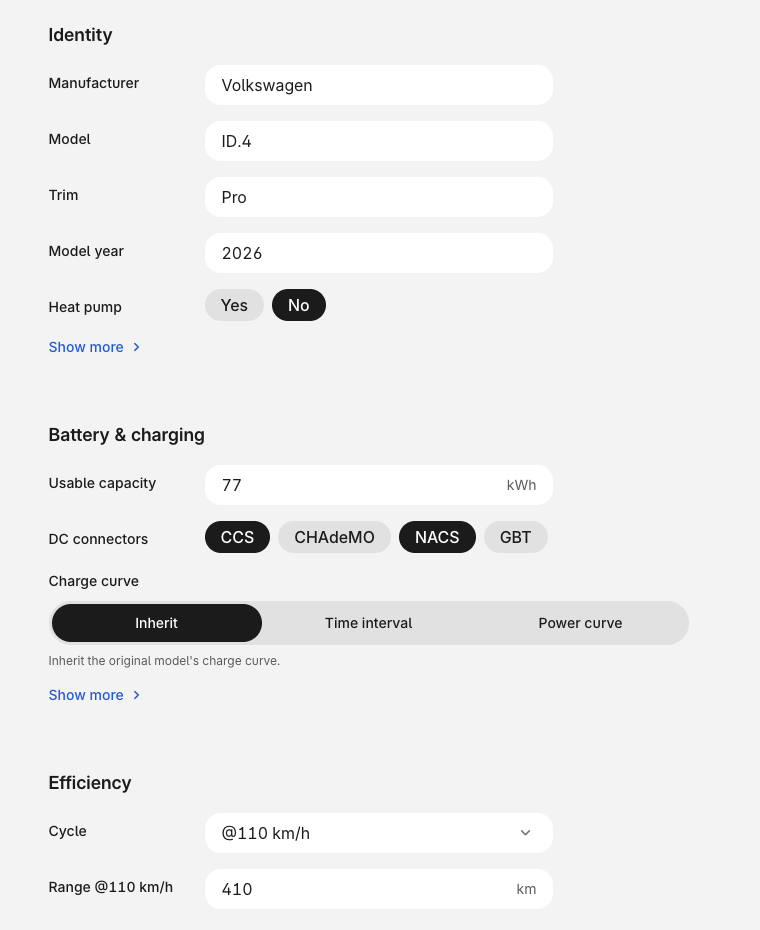
Save and go
Press Save vehicle and drive. Edit any time on the Custom Vehicles page, and press Share to send a friend with the same car a link.